Building a Design System for Your Startup with Tailwind CSS v4
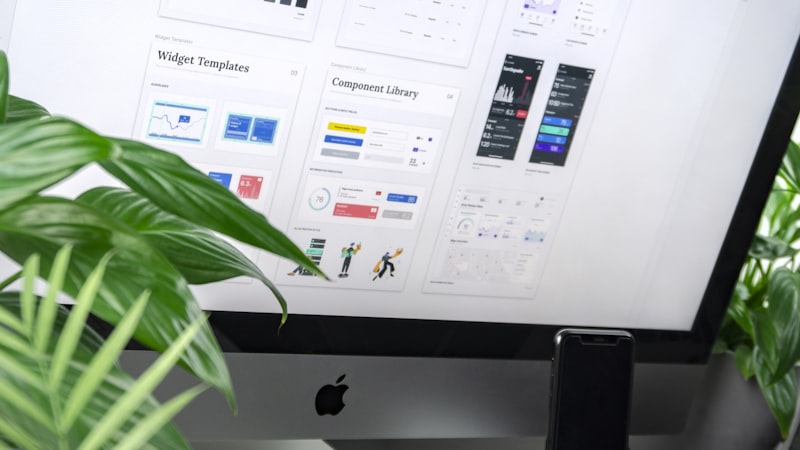
One of the most common mistakes early-stage startups make with their UI is treating design as something they'll "figure out later." The result is a codebase full of inconsistent colors, random spacing values, and a visual language that feels disjointed. Fixing this later is painful and expensive.
Tailwind CSS v4 makes it easier than ever to establish a solid design system from day one, even if you don't have a dedicated designer. The new @theme block and improved architecture let you define a cohesive visual language with minimal overhead.
Why a Design System Matters Early
A design system isn't a luxury for large teams. It's a speed multiplier for teams of any size. When every color, spacing value, and typography style is defined in one place, you make decisions faster and ship more consistent interfaces.
The benefits compound over time:
- Faster development: You stop debating whether a margin should be 16px or 20px. The system decides.
- Visual consistency: Every page looks like it belongs to the same product, which builds user trust.
- Easier onboarding: New developers can look at the design tokens and immediately understand the visual language.
- Simpler redesigns: When you want to refresh your look, you change tokens in one place instead of hunting through hundreds of files.
Tailwind v4's @theme Block
The biggest change in Tailwind v4 for design systems is the @theme block. Instead of configuring your theme in a JavaScript config file, you now define it directly in your CSS. This is a fundamental shift that makes the design system more accessible and easier to maintain.
The @theme block lets you define custom values for colors, spacing, typography, and any other design token directly in CSS. These values then generate corresponding utility classes automatically. If you define a color called brand-500, Tailwind will generate text-brand-500, bg-brand-500, border-brand-500, and every other color utility for it.
Defining Your Color Palette
Start with your brand colors and build out from there. A good startup color palette has:
- A primary color with a full scale from 50 to 950. This is your brand color, used for buttons, links, and key UI elements.
- A neutral scale for text, backgrounds, and borders. Tailwind's default gray works well, but customizing it slightly to match your brand's warmth or coolness makes a big difference.
- A semantic set: success (green), warning (amber), error (red), info (blue). These should be consistent across your entire product.
Define these in your @theme block and resist the urge to add more. A constrained palette forces better design decisions.
Custom Spacing and Typography Tokens
Beyond colors, your design system should define a spacing scale and typography system. Tailwind v4 lets you extend or override the default scales in the @theme block.
Spacing
Tailwind's default spacing scale (based on a 4px grid) works well for most projects. If you need custom values, define them semantically. Instead of adding random pixel values, create tokens like section-gap, card-padding, or content-max-width that describe their purpose.
Typography
Define your font families, sizes, and line heights as theme tokens. A common pattern is to use a variable font for both headings and body text, with different weights to create visual hierarchy. Tailwind v4's theme system lets you define font size tokens that include both the size and the line height together.
Utility Classes vs. Component Classes
One of the most debated topics in the Tailwind community is when to use utility classes directly and when to extract them into component classes. Here's a practical framework:
Use Utility Classes When:
- The styling is simple and applied in only one or two places
- The component is small enough that the class list is readable
- You want to keep the styling co-located with the markup for clarity
Extract to Component Classes When:
- The same combination of utilities appears in three or more places
- The class list is so long it hurts readability
- You're building a reusable component that should have a consistent appearance
In Tailwind v4, you can create component classes using @apply in your CSS or, better yet, by creating actual React components that encapsulate the styling. The component approach is usually better because it bundles behavior and styling together.
Practical Design System Checklist
Here is what your startup's design system should include from day one:
- Color tokens: Primary, neutral, and semantic colors with full scales
- Typography: Two to three font sizes for headings, one for body, one for small text
- Spacing: A consistent scale used for all margins, padding, and gaps
- Border radius: Two to three values. Small, medium, and large (or full).
- Shadows: Two to three elevation levels for cards, modals, and dropdowns
- Breakpoints: Tailwind's defaults are usually fine, but document how you use them
- Components: Button, input, card, and badge styles at minimum
Getting Started
You don't need to build a comprehensive design system before you start coding. Begin with colors and typography in your @theme block, then add tokens as you build. The important thing is to never use a raw value. Every color, size, and spacing value should come from your theme. For a more structured approach to learning modern development with AI tools, AI Code Academy offers free foundational courses to get you started, plus pro courses and coaching available with a membership.
This discipline pays for itself quickly. When you decide to tweak your brand color three months from now, it'll be a one-line change instead of a search-and-replace across your entire codebase.
If you're also thinking about the technical foundations of your stack, check out my guide on React Router v7 and SSR. A solid rendering strategy pairs well with a solid design system. And if you want to see how these principles come together in real projects, visit the projects page.

Loïs Bibehe
French developer helping founders build products. Work with us or learn to build it yourself. Your call.